
Frequently Asked Questions
How do I access my online courses?
1. After a purchase is made on SwimLessonsUniversity.com, an email from LearnWorlds.com will be sent to you.
2. Click the link in the email to activate your new account and access the course(s).

I started a course but I can’t remember how to access again.
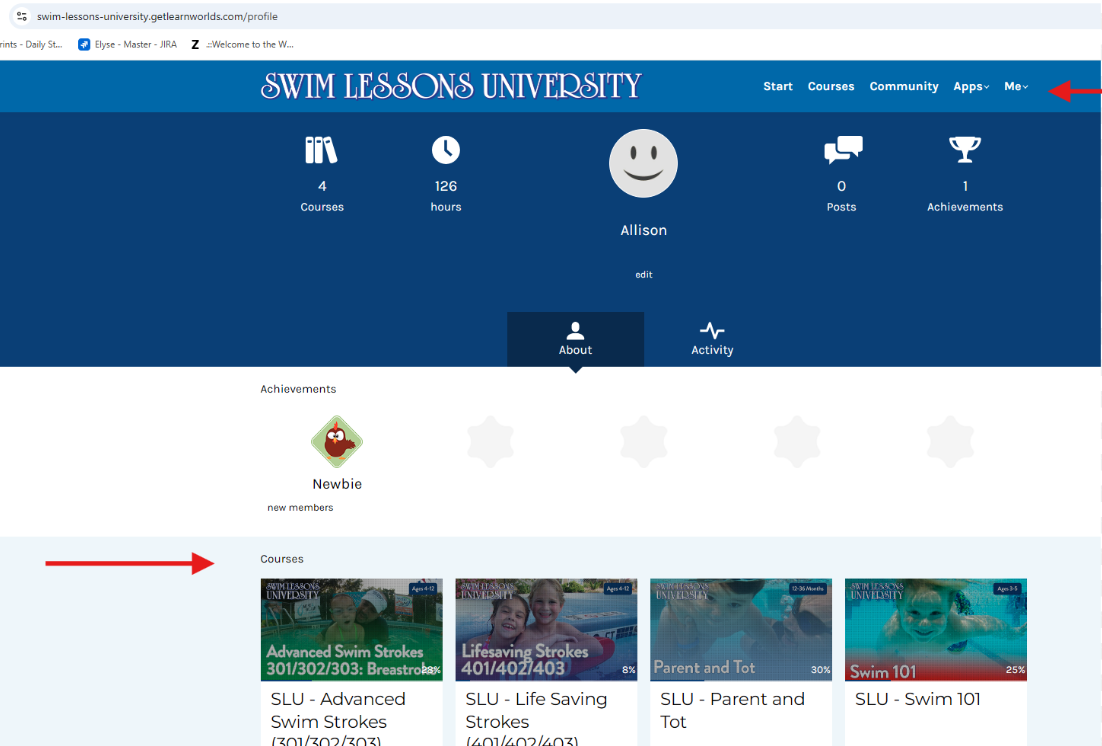
1. Login to https://swim-lessons-university.getlearnworlds.com/.
2. Click on Me > Profile in the top navigation.
3. Your courses will appear at the bottom of the page; click to start or pick up where you left off.
How do I print the Lesson Plans?
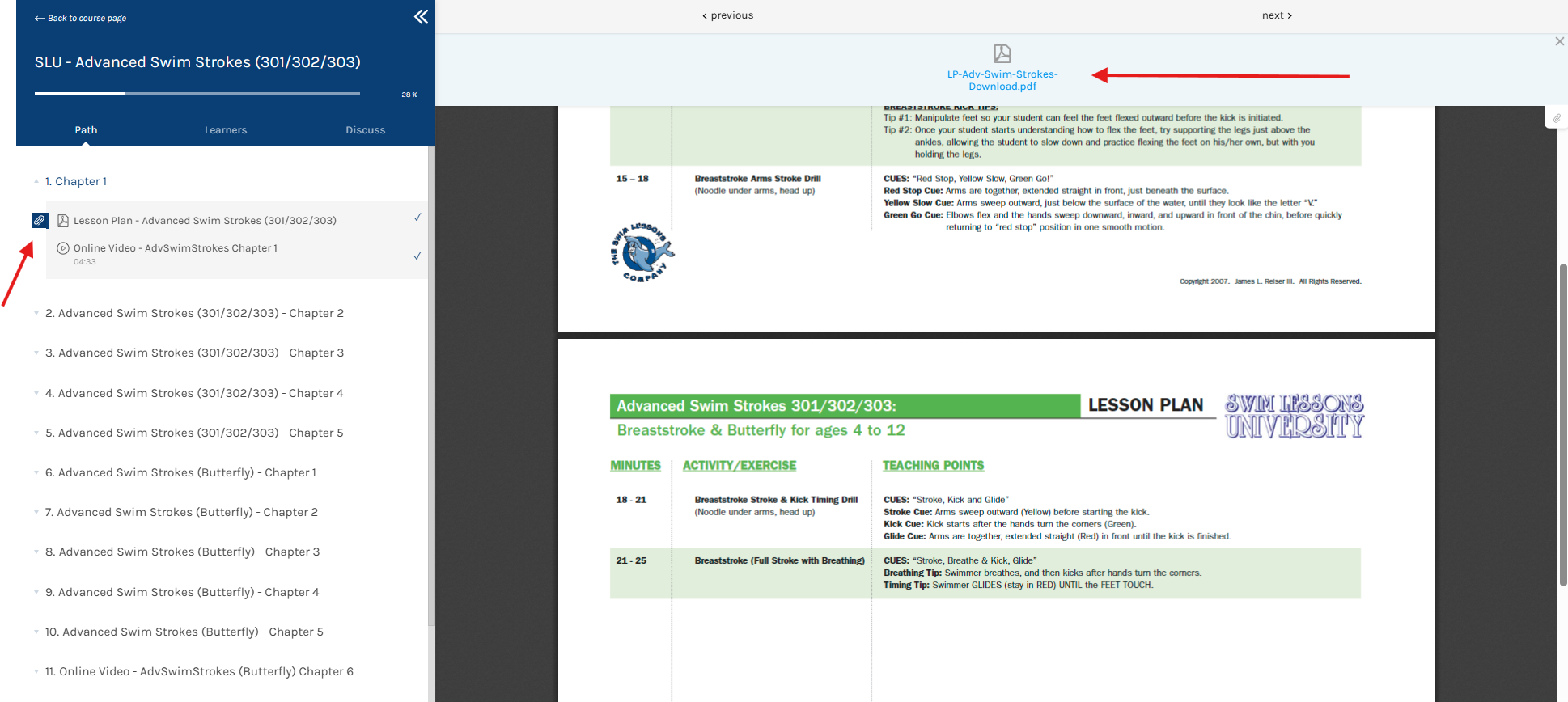
1. Navigate to Chapter 1 in your course and click on the Lesson Plan.
2. Click the paperclip icon on the left.
3. In the pop-up, click to download and print from your device.
How can I access my course certificate?
1. Log back into your LearnWorlds account - https://swim-lessons-university.getlearnworlds.com/
2. Click on Me > Profile in the top navigation.
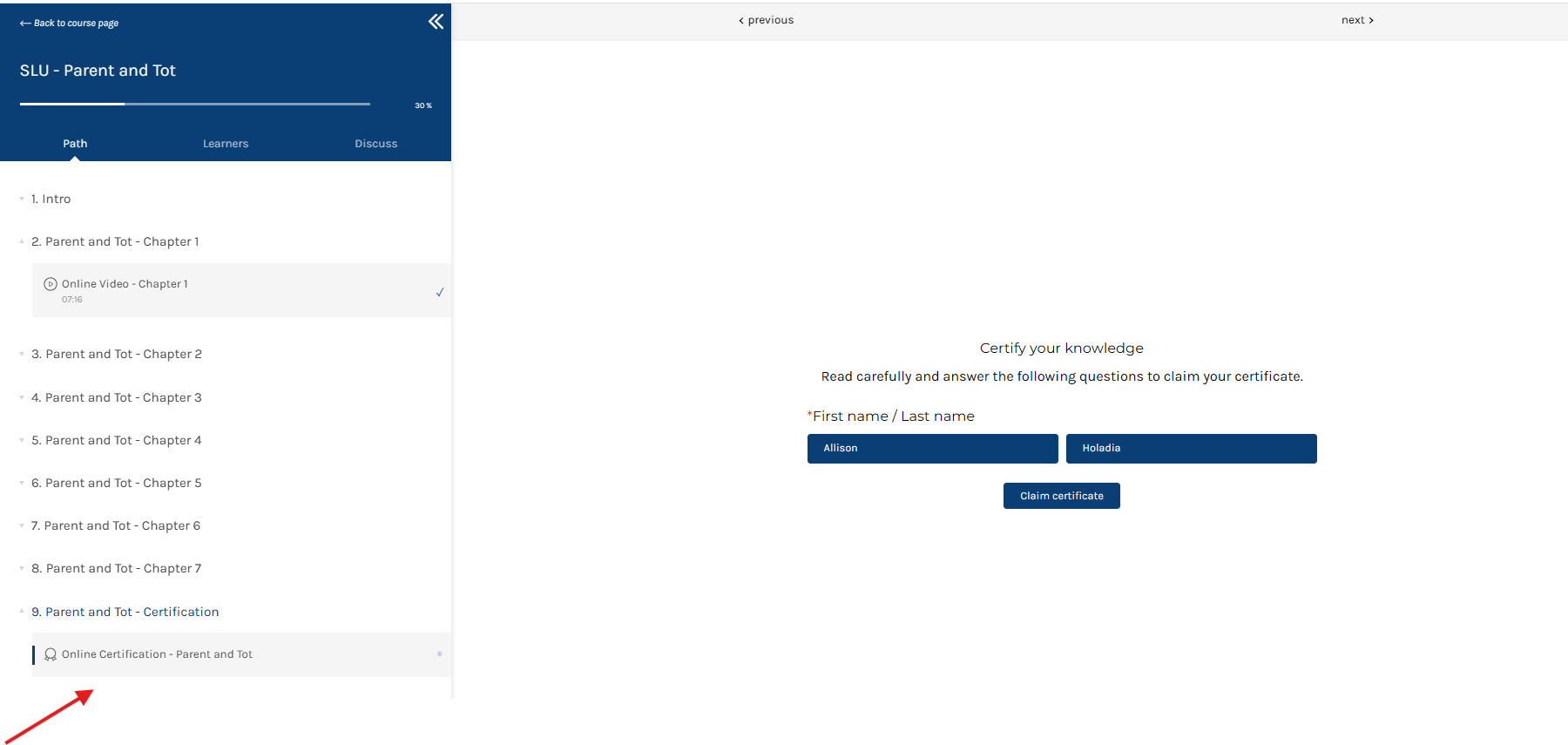
3. Click the course at the bottom to re-enter it.
4. Locate the Online Certification link at the end of the course to download your PDF certificate.
I ordered an online course for a trainee under the director’s email and need it to be changed to the trainee.
1. Log into your LearnWorlds account - https://swim-lessons-university.getlearnworlds.com/
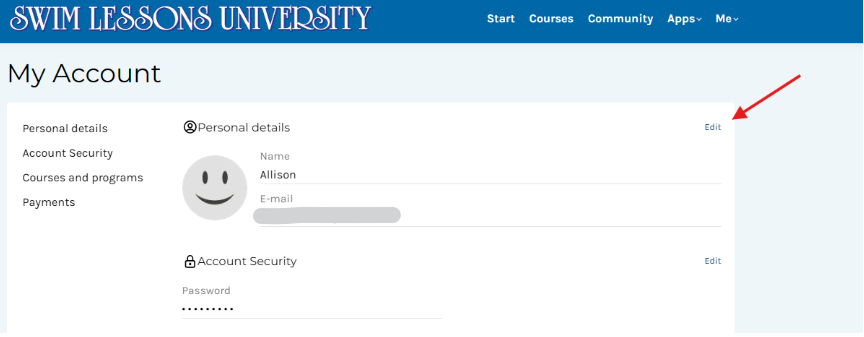
2. Click on Me > Account in the top navigation.
3. From here, you can edit the name, email, and password for your trainee.
How can I become an Authorized Provider?
1. Become certified in all Swim Lessons University Instructor Courses
2. Purchase a Swim Lessons Instructor Trainer License
3. Email your aquatic resume and SLU instructor certifications to jreiser@swimprofessor.com
4. Employ 5+ swim instructors
As an Authorized Provider how do I order courses for my trainees?
1. Please review our Authorized Providers page for details